

Build the course once. Run it in every organisation.
Programmes nest as deep as the subject does. Modules link back to a shared library. And a finished programme can be handed to another organisation in your tenant — read-only, or as a copy they own.
How authoring works in Lurno
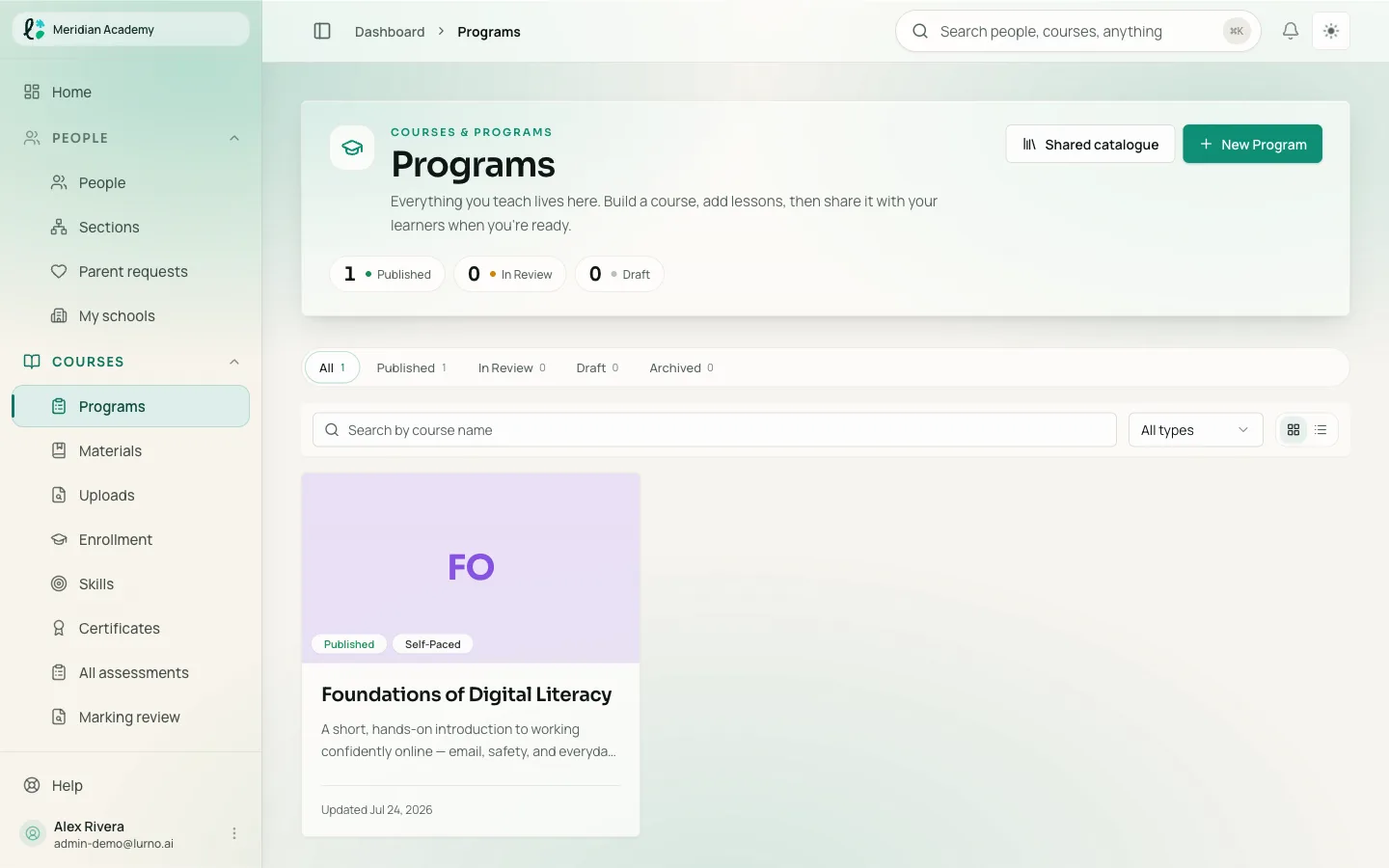
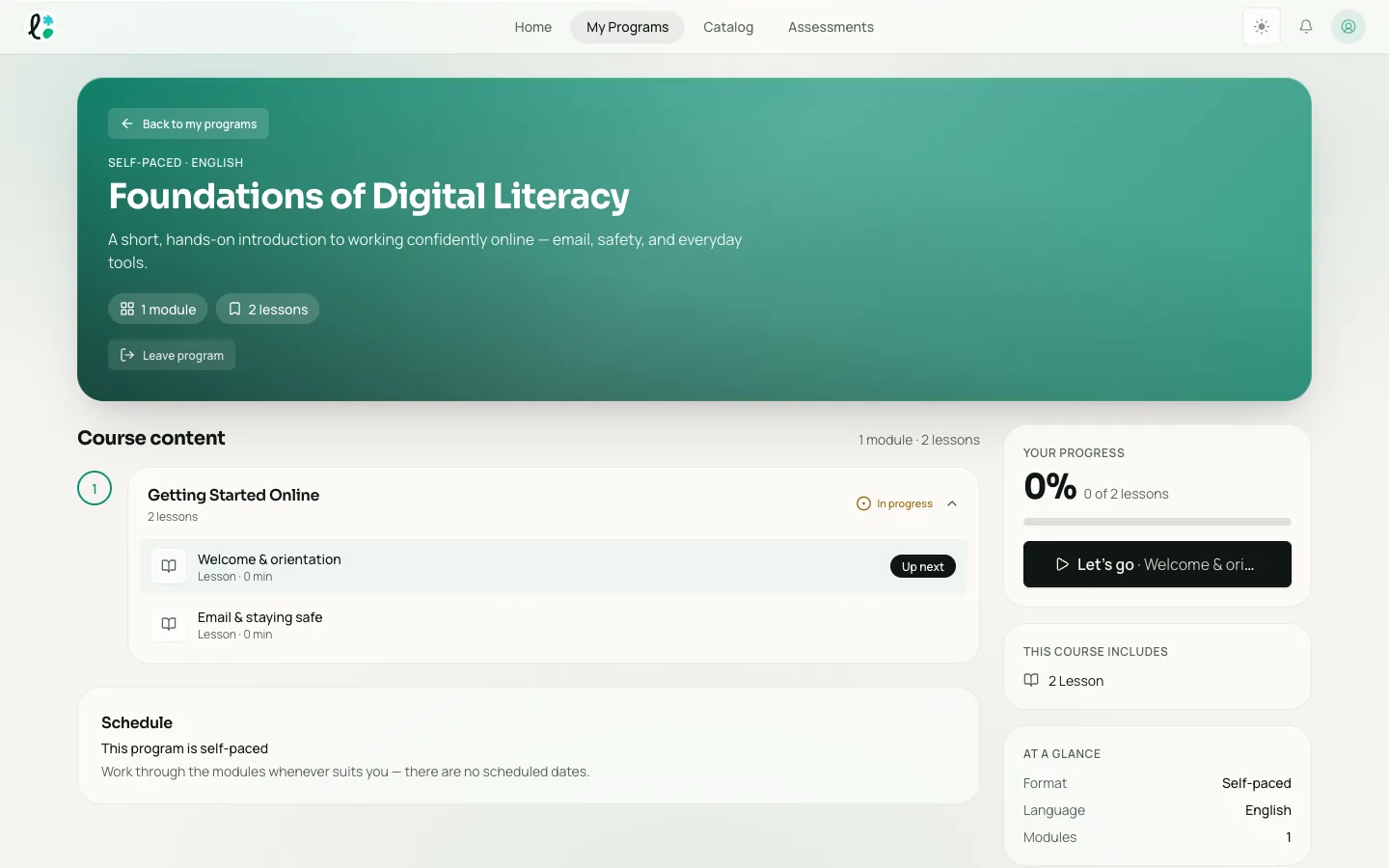
In Lurno a course is a tree. A programme holds modules, a module holds other modules or the lessons that end a branch, and a lesson holds content blocks. The nesting is recursive, so a two-week induction and a three-year syllabus use the same structure. Each block is one of 53 resource types — rich text, image, audio, video, 19 question types, activities, a code playground, three kinds of rubric, and embeds. Blocks can be local to one programme or linked from a shared content library, and a published programme can be shared with, or copied into, another organisation in the same tenant.
- Content block
- The smallest unit an author places in a lesson: one video, one question, one rubric, one embed. A block is either local to the programme that holds it or linked from the content library, and library blocks keep a version history.
Structure comes first, because structure is the expensive thing to change later. A module that holds nothing yet is still a valid node, so an author can sketch a whole syllabus before writing a word into it.
Every module records where it came from: local, inherited from a parent organisation, or linked from the library. Anyone opening a course they did not build can see which parts are theirs to edit.
Six shapes a programme can take
You pick the type when you create the programme, and Lurno pre-fills the completion rules it usually wants. All of them stay editable.
Self-paced
Learners move at their own speed. Best for evergreen material.
Cohort
A group starts together and moves through on one schedule.
Blended
Online modules mixed with scheduled live or in-person sessions.
Event-led
Built around live events, with modules that open around each one.
Pathway
A sequence of programmes learners complete in order.
Three things that decide whether authoring scales
Modules inside modules, as deep as the subject goes
There is no fixed programme → module → lesson ceiling. A node can be empty, a parent or a leaf, so the outline can exist before the content does — which is what lets a full-year syllabus and a half-day refresher live in one product.
- Reorder children under one parent, or move a whole branch elsewhere
- Mark a module required or optional, with a time estimate learners see
- Draft, in review, published and archived apply per module, not just per programme
A content library with folders, versions and links
The library holds the pieces worth reusing: the safety module every client company needs, the lab write-up template every school uses. Folders nest inside a collection, so it mirrors how your team already files things.
- Folders inside folders, per collection
- Resources and library blocks carry a version history
- Each module is tagged local, inherited or library-linked — provenance is never a guess
A programme will not go live half-finished
Before publishing, Lurno checks that the programme has a title and a type, has at least one module, and that every module is named. Failed rows link to the screen that fixes them, and the same validation runs on the server — so the checks cannot be skipped from a browser.
How assessments are builtWhat can go in a lesson
53 resource types. Each is a block an author drops into a lesson and configures in place.
Text, media and video
Rich text, images, audio, video, carousels and documents — plus YouTube, Vimeo and Loom by URL.
19 question types
True/false, single choice, multiple answer, matching, ordering, fill in the blank, cloze, short answer, essay, numeric, hotspot, drag and drop, file upload, audio response, matrix, annotation, classification, open-ended, and question groups.
Activities
Polls, flashcards, peer review, HTML5 packages and external activities.
A code playground
Set the language, give starter code and test cases; the exercise runs inside the lesson.
Three kinds of rubric
Analytic, holistic and single-point rubrics sit in the course, next to the work they mark.
Embeds
Figma, CodePen, Google Docs, Sheets, Slides and Forms, Canva, Miro, Notion, Airtable, Typeform, SurveyMonkey, Kahoot, Zoom, Teams and Meet. An embed is a link in a lesson — Lurno does not host the session behind it.
Three ways one course reaches more than one organisation
A corporate academy running training for 15 client companies and a K-12 publisher running 114 schools have the same problem: one course, many organisations, different amounts of local freedom.
| Capability | Library link | Shared — view | Shared — duplicate |
|---|---|---|---|
| What the other organisation gets | The block itself, inside their own programme | The live programme, read-only | A starting point they fork and own |
| Who can edit it | The library owner | The owning organisation only | Each organisation edits its own fork |
| Changes at the source reach them | Yes — there is only one entry | Yes — it is the live programme | No — the fork is independent from the moment it is made |
| Good for | House style, safety modules, anything that must stay identical | A publisher issuing one syllabus to every school | An academy giving each client a base to adapt |
Access is granted per organisation; with no grant the programme is invisible — hidden is the default, not a setting to remember. Copying a large programme runs as a background job rather than in a browser tab.
Standards and storage
SCORM 1.2, SCORM 2004, xAPI and LTI 1.3
In developmentAll four exist as activity types in the authoring model; the runtime that plays them and reports back is being built. We would rather say so now than at implementation. Tell us which standard and which version gates your rollout.
Talk to us about standardsMedia kept where it has to be kept
Uploads go to Lurno's storage by default. Storage is pluggable per organisation: point media at Amazon S3, Azure or Google Cloud Storage with your own bucket instead. A sub-organisation inherits its parent's setting until it sets its own, so a group can keep one country's files in that country without splitting into separate tenants.
How Lurno handles your dataWhat buyers ask about authoring
Bring a course you already run.
Bring one module you know well, and we will rebuild it with you on the call.